
Turn any inbound request into a booked meeting

_pfcB1WL7K46PXzeK0j38i-OgJUGhqz.png)
Constant “Are you free for a chat?” emails break your flow:
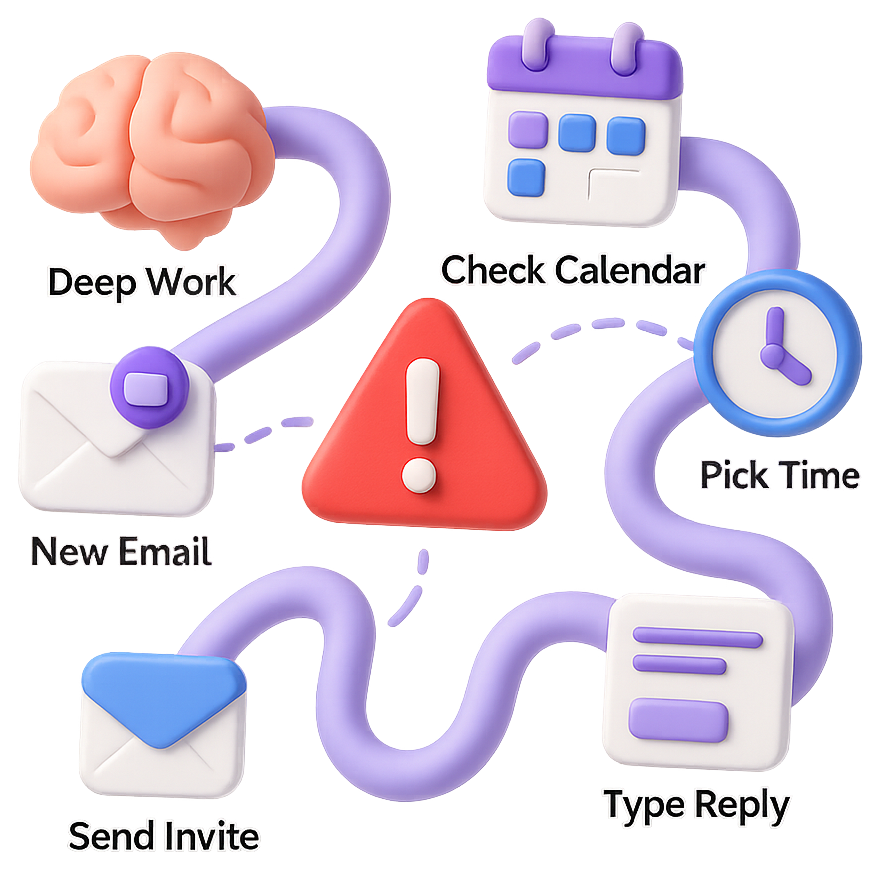
- You pause deep work
- Check calendars
- Suggest slots
- Wait on replies
- Toggle back and forth between your email and calendar
- Paste emails
- Send an invite
Auto-Coordination turns a vague “Are you free?” email into a confirmed calendar event without you lifting another finger.
Just cc [email protected], and get back to work; your AI scheduling assistant proposes times, collects a confirmation, and drops a perfect invite on every calendar.
Use it Free — Save Hours This Week
Cc:
One CC. Done.
Why Auto-Coordination beats links & manual juggling
| Google Calendar | Calendly | Dule.ai | |
|---|---|---|---|
| Keeps you inside the email thread (no calendar tab switching) | ❌ Manual | ❌ Opens link | ✅ Done in-thread |
| Recipients don’t have to navigate a separate app | 🔶 When using scheduling page | ❌ Opens scheduling page | ✅ All inside email |
| Chase confirmations automatically | ❌ You follow up | ❌ You follow up | ✅ AI nudges participants |
| Set up with one reply + CC | ❌ Multi-step | ❌ Custom link | ✅ One-liner reply |
| Check availability for all participants | 🔶 Internal calendars only | 🔶 Only for account holder | ✅ Multi-party visibility |
| Book instantly after “Yes, that works” | ❌ You still create the invite | ✅ Calendar invite sent after user selects a time. (⚠ Recipients follow up w/ confirmation in thread) | ✅ Calendar invite sent automatically |
| Eliminate context-switch cost | ❌ Tab hopping | ❌ Copy-Paste Links / Install Extensions | ✅ Stay in flow, no switching |
| Easy to use on mobile | ❌ Switch between apps | ❌ Switch between apps | ✅ Stay in email app |
How Automatic Meeting Coordination Works
- Receive a meeting request.
- CC
[email protected]. - Dule checks your live availability, proposes slots, and waits for a pick.
- Upon confirmation, everyone gets a calendar invite.
Pro-tips & FAQs
- Dule respects your working hours and buffers.
- No links, logins, or downloads for attendees—everything stays in-thread.
- Need to reschedule? Just ask Dule in the same email chain.
Ready to reclaim your focus? Try Auto-Coordination on your next inbound request—or learn how Quick Add handles one-step scheduling. Explore all guides in our how-to hub.
Additional context
Auto Coordinate is designed for the common inbound request where someone asks for time but no slot has been confirmed yet. Instead of checking your calendar, drafting options, and chasing replies manually, you add Dule once and let the thread move toward a confirmed meeting from there.
Where Auto Coordinate helps most
- Inbound meeting requests where the sender asks if you are free.
- Threads where one organizer’s calendar is the anchor for the decision.
- External scheduling where you want to avoid pushing guests into a separate booking page.
- Follow-up-heavy conversations where the real pain is remembering to nudge people and send the final invite.
Use something else when
- Use Quick Add when the time is already decided.
- Use Request A Time when several recipients need to align on one slot.
- Use Special Addresses when you want reusable defaults for a repeated scheduling workflow.
See where inbound coordination breaks traditional scheduling tools
Auto Coordinate is the workflow buyers look for when someone asks for time and the thread still needs real back-and-forth. These comparison pages show where inbox-native follow-up beats booking links, ATS workflows, and single-thread assistants.
General Scheduling Platforms
See how Dule compares with Calendly, Doodle, Microsoft Bookings, and similar tools when the sender did not arrive ready to click a booking link.
AI Scheduling Assistants
Helpful when you are comparing Dule with assistant-style products that still keep everyone on one visible thread instead of coordinating privately behind the scenes.
Interview Scheduling Software
Relevant when a recruiter or coordinator has to turn a vague inbound request into a confirmed interview without pushing candidates and interviewers through a heavier system.
Compare Scheduling Tools
Start at the top-level hub if you want the broader view across link-based tools, assistant workflows, and vertical scheduling platforms.
Stop managing your calendar — start commanding it
Cc: